

The best discounts this week
Every week you can find the best discounts here.

TrackChat – Inbox for Perfex CRM with AI Agents Latest Version With Unlimited Sites

News Feed Module For Perfex CRM
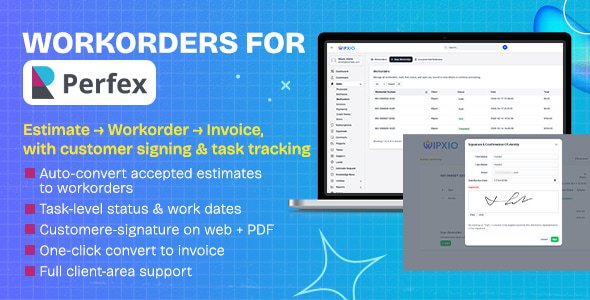
Work Orders for Perfex CRM

Service Management Module + Technician Mobile App for Perfex CRM v1.0
API Integration Manager Module for Perfex CRM
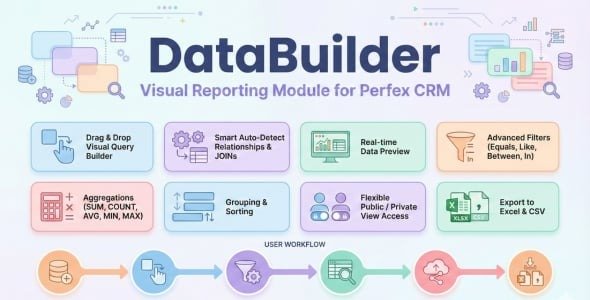
Data Builder for Perfex CRM
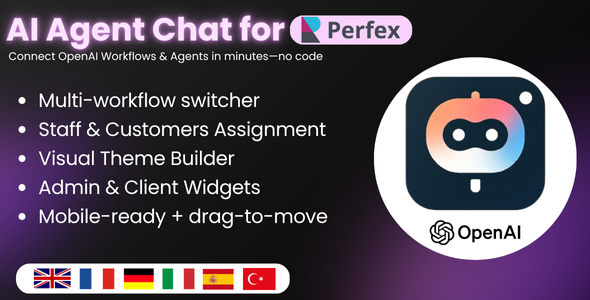
OpenAI Agents & Workflows for Perfex CRM
Instant Download Module Zip
| Last Update |
Description
Bring OpenAI directly into Perfex, no code.
AI Agent Chat lets you embed OpenAI Agents & Workflows inside Perfex CRM as beautiful, on-brand chat bubbles for both the Admin and Client areas. Point the module to your OpenAI Agent/Workflow IDs, style the chat visually, and go live—no SQL, no front-end code.
- Multi-Chat: Create multiple chats (Support, HR, FAQ, Billing, etc.) and switch instantly.
- No-Code Designer: Color scheme, accent, corners, density, fonts—live preview included.
- Admin & Client Bubbles: Separate styles and visibility controls for staff and customers.
- Start Screen Prompts: One-click quick starters (e.g., “Pricing”, “Order status”).
- History & Locale: Toggle conversation memory and set locale (BCP-47 tags).
- Security-minded: Your OpenAI API key is stored securely inside Perfex.
Who is it for?
Teams who want self-service Q&A, guided workflows, and faster internal/external support right where work happens—inside Perfex CRM.
How it works (clear & simple)
- Build in OpenAI: Create your Agent and Workflow in your OpenAI account. Publish them and copy their IDs.
- Create Chat in Perfex: In AI Agent Chat → Create Chat, paste your Workflow ID (and Agent ID if applicable), name your chat, and enable it.
- Style visually: Pick light/dark/auto, accent, radius, density, fonts, header icon, and quick-start prompts. Live preview updates instantly.
- Assign visibility: Show in Admin for staff (optionally by departments/staff), and/or Client area for all customers, groups, or specific contacts.
- Open & chat: Click the bubble in Perfex, ask in plain language, and let your workflow run the show.
Don’t have an OpenAI workflow yet? We can build custom Agents/Workflows and automations for you (paid service). Contact us at lenzcreativee@hotmail.com.
Requirements
- Perfex CRM (latest stable)
- OpenAI account with access to Agents & Workflows
- Your OpenAI API key
Key Features
- Instant UI Theming: Light/Dark/Auto, accent HEX, round/pill/square, compact/normal/comfortable.
- Header & Actions: Optional top bar with a left action icon (Font Awesome).
- Composer Control: Custom placeholder text per chat.
- Start Screen: Greeting + clickable prompts (name, prompt text, icon).
- Behavior: History on/off and locale (e.g., en-US, fr-FR).
- Admin/Client Bubbles: Full gradient controls, shadows (presets or custom), position, z-index, transitions, and icon color.
- Assignments: Target by staff, departments, customers, groups, and contacts.
- Copy Helpers: One-click copy for Workflow IDs in the Manage list.
Designing a smart triage workflow in OpenAI
Create or import your Agent & Workflow in OpenAI (classification, Q&A, fact-finding, sub-flows, tools, etc.). Publish it and copy the IDs.
Visual builder inside Perfex
Basics, Theme, Header, Composer, Start Screen, and Behavior—organized, clean, and live-previewed.
Manage Chats
Create many chats (HR, Billing, FAQ…). Copy workflow IDs with one click, enable/disable, and see timestamps.
Assign by audience
Show in Admin and/or Client area. Target specific staff/departments or customers/groups/contacts.
In-app chat flyout (Admin)
Switch between chats instantly. Great for internal knowledge, HR, and contract assistance.
In-app chat flyout (Client)
Expose only the chats you want customers to see (e.g., Billing & Invoices, Order Tracking, FAQ).
General settings
Paste your OpenAI API key (securely stored). Quick tips included.
Admin Bubble designer
Presets, size, border radius, gradients, icon/text color, position, z-index, transition, shadow presets/custom.
Client Bubble designer
Separate styling for client area. Keep it on-brand without touching CSS.
Built-in Docs
Short guide: what it does, what you need, setup steps, best practices, and troubleshooting.
Best Practices
- Write friendly, human instructions for your OpenAI Agent to match your brand voice.
- Keep workflows simple first; iterate after real usage.
- Version & publish updates in OpenAI so behavior stays predictable.
Important Notes
- OpenAI account required. You manage your OpenAI usage and costs.
- Bring your own Agent/Workflow. The module connects to the IDs you provide.
- We’re available for custom workflow/agent builds (paid). Email lenzcreativee@hotmail.com.
URL Email Password
https://lenzcreative.net/marketplace-pcrm-demo/admin
Email : demo@lenzcreative.net
Password : lenzcreative123321
- Login to Perfex CRM as admin
- Go to Modules → Installed Addons
- Upload the module zip
- Click “Install”
- Go to AI Agent Chat and start creating chats
Version 1.0.0 – 2025-10-15
• Initial release
• Multi-chat with live preview and no-code styling
• Admin/Client bubble designers with gradients & shadows
• Start screen prompts, history & locale
• Audience assignments for staff/departments/customers/groups/contacts
Instant Download Module Zip
| Last Update | 16 October 2025 |
Related products

Facebook & Instagram Leads Synchronization module for Perfex CRM – Marketing Automation for Meta Ads V2.0.0

Deals Management for Perfex CRM

Real Estate Management module for Perfex CRM